How to Play Slots on JD Flash: A Beginner's Walkthrough
How to Play Slots on JD Flash: A Beginner's Walkthrough
Slots are one of the most popular game types on JD Flash, and they're built for mobile play. If you've completed your JD Flash register process and made your first deposit, you're ready to try a spin. This guide walks through the basics: where to find slot games after JD Flash login, what the buttons mean, how to set your bet, and how to check a game's paytable before you play.
JD Flash is for players aged 21 and over. Always set a budget before you play and stick to it.
Finding the Slots Section After JD Flash Login
Once you've logged into your JD Flash account on your phone, you'll land on the home screen. Look for a menu or navigation bar—usually along the top or bottom of the screen. Most casino platforms group games by type, and JD Flash follows this pattern.
Tap Slots or Games to open the slots lobby. You'll see a grid of game thumbnails, often sorted by categories like "Popular," "New," "Jackpot," or by provider name. Each thumbnail shows the game's title and a preview image.
If you're not sure which game to start with, look for titles marked "Demo" or "Free Play" if available. Some platforms let you try a slot without betting real money first, though not all games on JD Flash may offer this. If demo mode isn't shown, you'll need to place a real-money bet to spin.
Use the search bar if you know the name of a specific slot, or scroll through the list. On Android, the page should load quickly even on slower connections, but expect a short wait if you're on mobile data in a crowded area.
Understanding Paylines, Bet Levels, and Spin Buttons on Mobile
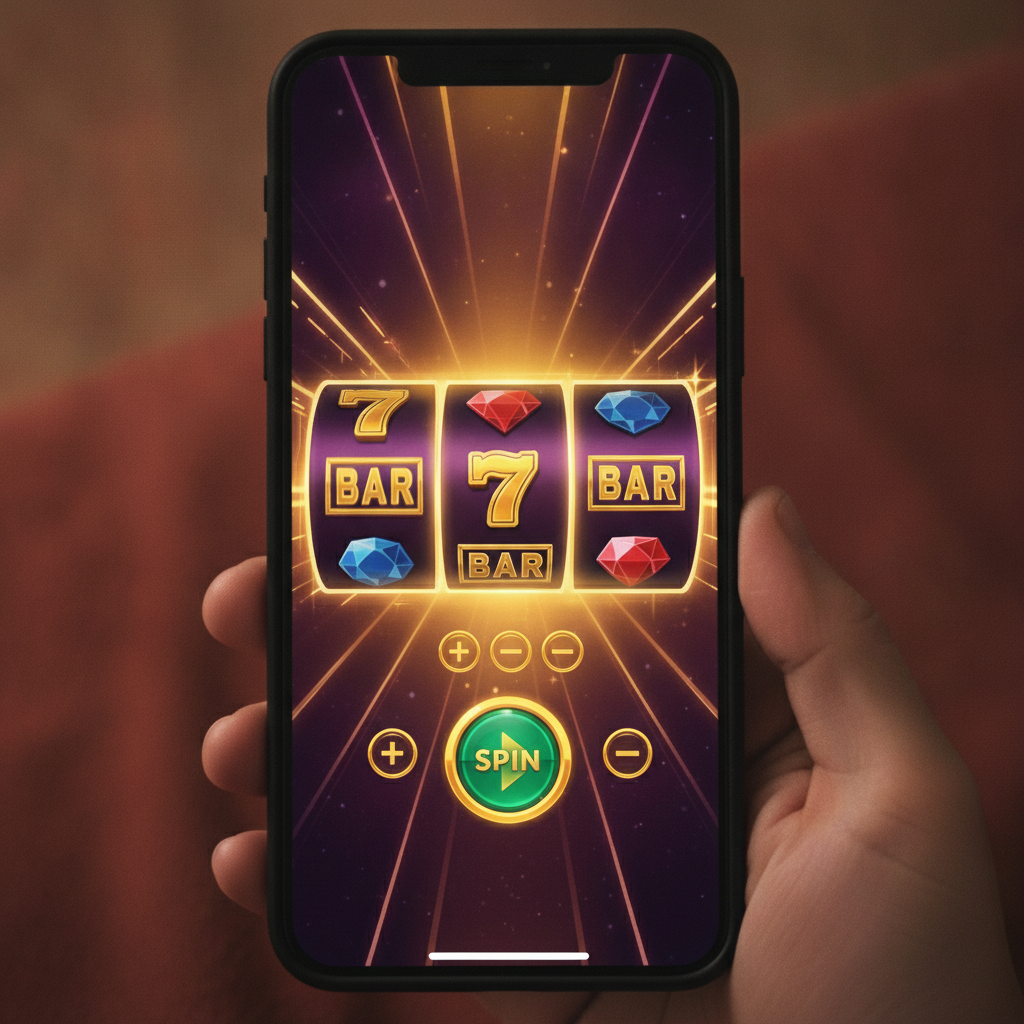
When you tap a slot thumbnail, the game loads in full-screen or near-full-screen mode. The screen will show the reels (usually three or five vertical columns of symbols), a spin button, and a control panel. Because you're playing on a phone, the layout is designed to fit everything within thumb reach.
Paylines
Paylines are the patterns across the reels that count as a win. A classic three-reel slot might have one, three, or five paylines. A five-reel video slot can have 10, 20, 25, 50, or even hundreds of paylines—some modern slots use "ways to win" systems with 243, 1,024, or more combinations instead of fixed lines.
You don't always choose the number of paylines. Many newer slots on JD Flash have all paylines active by default, so you only adjust your bet level. Older titles may let you select how many lines to activate, but this is less common now.
To see exactly how paylines are laid out, tap the paytable or info button (covered below). The paytable screen will usually include a diagram showing each line and which symbol combinations pay out.
Bet Level and Coin Value
Most slots let you adjust your total bet per spin. The control panel will have buttons labeled Bet, Coin Value, Bet Level, or a +/– toggle.
- Coin value: the peso amount for one coin. For example, ₱0.10, ₱0.50, or ₱1.00.
- Bet level: the number of coins you wager per payline.
- Total bet: coin value × bet level × number of active paylines.
On many mobile slots, you'll see a single "Total Bet" display and two buttons to raise or lower it in preset increments. Tap – to decrease, + to increase. Your current bet is shown in pesos, so you know exactly how much each spin costs.
Before you spin, double-check the bet amount. It's easy to tap the wrong button on a small screen, especially if you're playing in a moving vehicle or standing up.
Spin and Auto-Spin Buttons
The Spin button is usually large and centered at the bottom of the screen. Tap it once to start one spin. The reels will rotate and then stop, showing a random result.
Many slots also have an Auto-Spin or Auto button. Tap it to open a menu where you can choose how many spins to play automatically—10, 20, 50, or more. Auto-spin is useful if you want to play several rounds without tapping each time, but it also makes it easier to lose track of your spend. Set a loss limit or win limit in the auto-spin menu if the game offers those controls, and always keep an eye on your balance.
Some slots include a Turbo or Quick Spin toggle that speeds up the reel animation. This won't change the outcome, but it lets you play more rounds in less time.
How to Read the Paytable and Game Rules
Before you place your first bet, tap the Info, Paytable, or ? button. This opens a set of screens explaining how the slot works.
Paytable Overview
The paytable lists every symbol in the game and shows how much each combination pays. Payouts are usually displayed as multipliers (e.g., "5× your bet" or "100× your line bet") or as fixed peso amounts based on your current bet level.
High-paying symbols are typically themed icons—like fruits, gems, or characters. Low-paying symbols are often card ranks: 10, J, Q, K, A.
Wild symbols substitute for other symbols to complete winning lines. Scatter symbols often trigger bonus features or free spins, and they may pay regardless of where they land on the reels.
Bonus Features and Free Spins
Many video slots include bonus rounds, free-spin modes, or multipliers. The paytable will explain:
- How many scatter symbols you need to trigger free spins.
- Whether free spins come with multipliers or extra wilds.
- What happens during a pick-me bonus or wheel spin.
- If there's a progressive jackpot and how it's won.
Read these rules carefully. Some bonuses require maximum bet to activate, though this is rare on beginner-friendly slots.
RTP and Volatility
Some paytables show the game's RTP (return to player) percentage—for example, 96.5%. This is a long-term statistical average, not a guarantee for any single session. A 96% RTP means that, over millions of spins, the game is designed to return ₱96 for every ₱100 wagered. Your actual results in a short session can be very different.
Volatility (or variance) describes how often and how much a slot pays. High-volatility slots pay less frequently but offer bigger wins. Low-volatility slots pay smaller amounts more often. The paytable or info screen may mention this, or you can get a sense by looking at the payout spread: if the top symbol pays 1,000× and the low symbols pay 2–5×, it's likely high volatility.
Minimum and Maximum Bet Sizes for Slots
JD Flash caters to players who deposit ₱100–₱500 at a time, so most slots on the platform have low minimum bets. You'll commonly find:
- Minimum bet: ₱0.20 to ₱1.00 per spin
- Maximum bet: ₱100 to ₱500 per spin, though some jackpot or high-limit slots go higher
The exact range depends on the game. Three-reel classic slots often have the lowest minimums, while feature-rich video slots may start at ₱0.50 or ₱1.00.
If you're new to slots and testing the waters with a ₱100 deposit, stick to the minimum bet. At ₱0.50 per spin, you can play 200 spins before running out—enough to trigger bonus features and get a feel for how the game behaves. At ₱5.00 per spin, the same ₱100 gives you only 20 spins, and variance can wipe that out quickly.
To check a specific slot's bet range before you play, open the game and look at the bet controls, or tap the info button and scroll to the "Bet Settings" section. You don't need to place a bet to view this information.
Tips for Playing Slots on Mobile
- Check your balance: Your peso balance is displayed at the top of the game screen. Refresh or reopen the game if the number looks wrong.
- Watch your data: Slots use graphics and animations. If you're on mobile data, they can eat through your allowance. Wi-Fi is better for longer sessions.
- Lock your screen orientation: Turn on portrait or landscape lock so the game doesn't flip mid-spin if you shift your phone.
- Close other apps: Free up RAM on your Android device to keep the game running smoothly, especially on older phones.
- Set a win/loss limit: Decide before you start how much you're willing to lose, and at what profit point you'll cash out. Stick to those numbers.
Responsible Gambling Reminder (21+ Only)
JD Flash is strictly for players aged 21 and over. Slots are games of chance, and the house always has an edge over time. Never chase losses, and never bet money you can't afford to lose.
If you find yourself playing longer than planned, spending more than your budget, or feeling anxious about your balance, take a break. JD Flash and most online casinos offer self-exclusion or deposit-limit tools in the account settings. Use them if you need to.
Gambling should be entertainment, not a way to make money. Set a budget, play for fun, and stop when the fun stops.
Next steps: Once you're comfortable with basic slots, explore live dealer tables or try sports betting on PBA and NBA games. Every game type on JD Flash works a little differently, but the same principles apply—know the rules, manage your bankroll, and play within your limits.