JD Flash Live Dealer Guide: How to Join a Table and Place Your First Bet
JD Flash Live Dealer Guide: How to Join a Table and Place Your First Bet
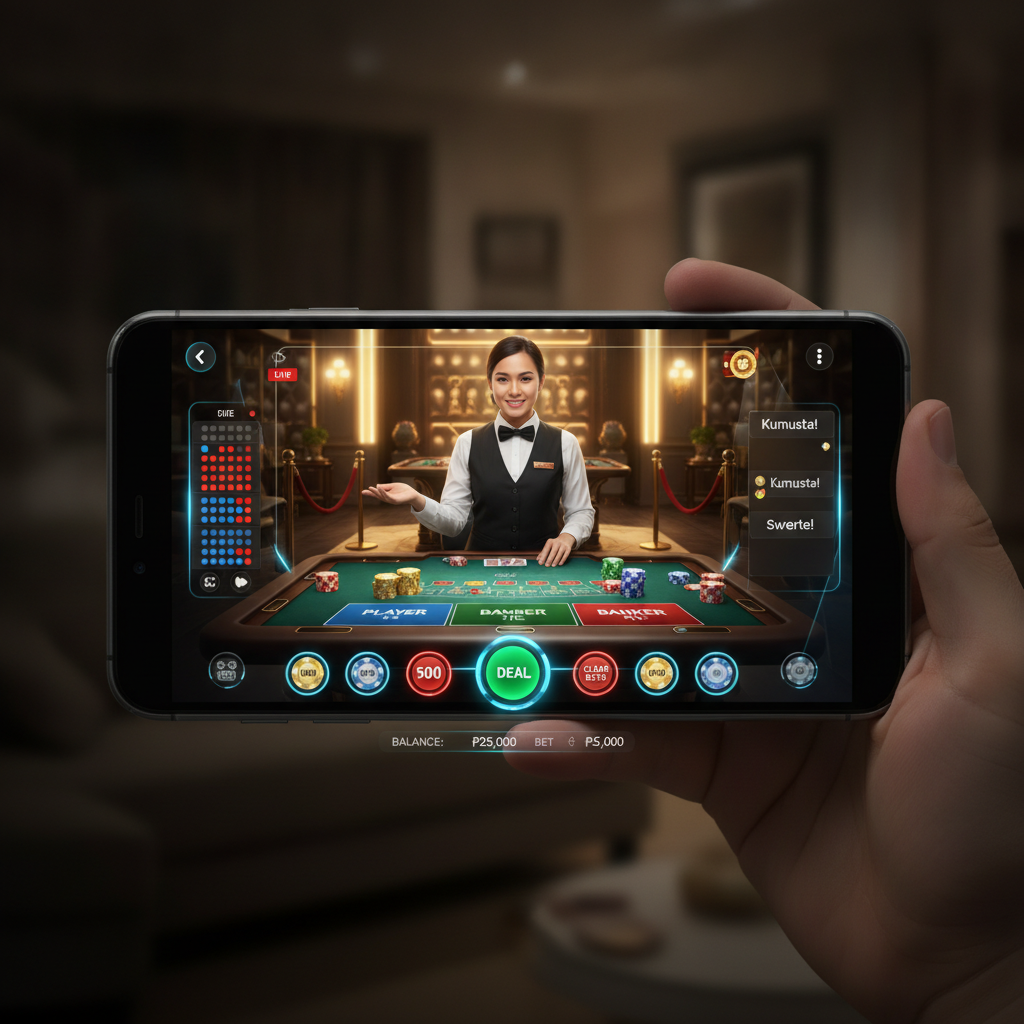
Live dealer games bring the experience of a physical casino to your phone. Instead of playing against computer software, you watch a real person deal cards or spin a roulette wheel in a studio, streamed to your screen in real time. This guide walks first-time players through finding live dealer tables on JD Flash, joining a game, and placing your first bet.
This guide is for players aged 21 and over only. Set a budget before you play and treat live dealer gaming as entertainment, not income.
What Live Dealer Games Are and How They Work
Live dealer games use video streaming to connect you with a human dealer working from a dedicated studio. The dealer operates physical equipment—cards, dice, or a roulette wheel—while cameras capture every action. You watch the feed on your phone and place bets using on-screen controls.
Common live dealer games on JD Flash include:
- Baccarat: Bet on Player, Banker, or Tie. The dealer draws cards according to fixed rules.
- Blackjack: Play your hand against the dealer's, aiming for 21 without going over.
- Roulette: Bet on numbers, colors, or groups before the dealer spins the wheel.
- Sic Bo: Predict the outcome of three dice rolled by the dealer.
- Dragon Tiger: A simplified card comparison game—bet on which side gets the higher card.
Each game runs on scheduled rounds. In baccarat or roulette, you have a betting window of 10–20 seconds before the dealer announces "no more bets." Once the round finishes, winning bets are paid automatically, and the next round begins.
Because you're watching a live person, there's no instant replay or pause button. Rounds move quickly, so take your time to understand the rules before betting.
Navigating to Live Casino Tables on JD Flash
After you complete JD Flash login, the home screen shows tiles for slots, sports, and live casino. The exact layout varies, but most players will see a Live Casino or Live Dealer tab near the top of the screen.
Tap that section. You'll land on a lobby page displaying game thumbnails. Each thumbnail shows:
- A preview image of the dealer and table
- The game name (Baccarat, Roulette, etc.)
- Minimum and maximum bet limits, usually shown as a range like "₱20 – ₱10,000"
- A green "Open" indicator if the table is accepting players
Tables are often grouped by game type. Scroll down to browse baccarat tables, blackjack tables, and so on. Some studios offer multiple tables for the same game, each with different bet limits or side bets.
If you're new to live dealer play, look for tables with lower minimums—₱10, ₱20, or ₱50 per bet. This lets you practice without risking large amounts while you learn the flow.
Joining a Table, Understanding Seat Availability and Bet Limits
Tap any game thumbnail to open the live stream. The video feed loads in the center of your screen, showing the dealer and the table layout. Below or alongside the video, you'll see betting controls and chip denominations.
Seat-Based vs. Bet-Behind Tables
In blackjack, tables may have a limited number of seats (often seven). If all seats are occupied, you might see a "Bet Behind" option, which lets you wager on another player's hand. You don't make playing decisions—you simply bet that their hand will win.
In baccarat, roulette, Dragon Tiger, and Sic Bo, there are no seats. Any number of players can join and bet on the same round. You place your chips on the virtual betting grid, and the dealer processes all wagers together.
Reading Bet Limits
Every table displays minimum and maximum bet amounts. For example:
- Baccarat: ₱20 minimum on Player or Banker, ₱5,000 maximum
- Roulette inside bet: ₱10 minimum per number, ₱500 maximum
- Roulette outside bet: ₱50 minimum on red/black, ₱2,000 maximum
If you try to place a bet below the minimum, the system will prompt you to increase your wager. If you exceed the maximum, the app will cap your bet or reject it.
Bet limits differ from table to table, even for the same game. High-limit VIP tables may start at ₱500 or ₱1,000 per bet, while beginner tables can accept bets as low as ₱10.
Checking Your Balance
Your available balance in Philippine pesos appears at the top or bottom of the screen. Make sure you have enough funds to cover your intended bet. If your balance is low, you'll need to make a deposit through GCash, Maya, or bank transfer before continuing.
Placing Bets and Interacting with the Dealer via Chat
Placing Your First Bet
Once the dealer announces betting is open, follow these steps:
- Select a chip value. Tap one of the chip buttons—₱10, ₱50, ₱100, etc.—to choose your stake size.
- Tap the betting area. In baccarat, tap the Player, Banker, or Tie circle. In roulette, tap a number, color, or group on the grid. Each tap adds one chip to that spot.
- Add or remove chips. Tap the same area again to stack more chips. Most tables have an Undo or Clear button to remove your last bet.
- Confirm or wait. Some tables auto-confirm bets; others require you to tap a Confirm or Place Bet button.
Watch the countdown timer. When it reaches zero, the dealer says "No more bets" and locks all wagers. The round then proceeds—cards are dealt, the wheel spins, or dice are rolled.
Understanding the Result
The dealer announces the outcome aloud and on-screen graphics highlight the winning bet. If you win, your payout appears in your balance immediately. If you lose, your stake is deducted.
Payout ratios depend on the game:
- Baccarat Player: 1:1 (bet ₱100, win ₱100)
- Baccarat Banker: 0.95:1 (5% commission)
- Roulette straight-up: 35:1
- Roulette red/black: 1:1
- Blackjack: 1:1, or 3:2 for a natural 21
You don't need to calculate payouts manually—the platform handles it automatically.
Using the Live Chat
Most live dealer tables include a chat box where you can type messages to the dealer or other players. To open chat:
- Look for a speech-bubble icon or Chat button on the screen.
- Tap it to reveal the message field.
- Type your question or greeting, then tap Send.
Dealers respond when they have time between rounds. Common uses for chat:
- Asking about game rules or side bets
- Saying hello or congratulating other players
- Reporting a video or audio issue
Keep messages polite and on-topic. Harassment, offensive language, or spam can result in a chat ban or account suspension. Some studios moderate chat automatically and block inappropriate words.
You can also mute or hide chat if you prefer to play without distractions.
Tips for First-Time Live Dealer Players on JD Flash
- Start with low-limit tables. This gives you room to learn without large losses.
- Watch a few rounds before betting. Observe the pace, the dealer's announcements, and how other players bet.
- Check your connection. Live video uses data. A weak signal can cause lag or freeze the stream. Play over Wi-Fi or a strong mobile connection.
- Don't rush decisions in blackjack. You'll have a timer to hit, stand, or double down. If you're unsure, the default action is usually to stand.
- Understand side bets. Games like baccarat and blackjack offer optional side bets (Pair, Perfect Pair, Tie). These have higher payouts but also higher house edges.
- Keep track of your session time and spending. Live dealer games can feel fast-paced. Set a budget and stick to it.
Account Registration and Deposit Requirements
Before you can join a live dealer table, you need to complete the JD Flash register process. This involves providing your mobile number, creating a password, and verifying your identity with a valid Philippine ID.
Once your account is approved, make your first deposit. JD Flash accepts payments via:
- GCash (instant, minimum typically ₱100)
- Maya (instant, minimum typically ₱100)
- InstaPay or PESONet bank transfer (may take a few minutes to an hour)
Deposits are credited to your main wallet. From there, you can transfer funds into the live casino section if the platform uses separate wallets, or bet directly if it uses a unified balance.
If you haven't yet registered, visit the JD Flash site or app, tap Register or Sign Up, and follow the on-screen prompts. You must be at least 21 years old to create an account.
Age Requirement and Responsible Play
JD Flash live dealer games are restricted to players aged 21 and above. The platform verifies your age during the registration process using your submitted ID.
Live dealer gaming should be treated as entertainment, not a way to earn money. Here are key responsible-play reminders:
- Set a budget before you start playing and do not exceed it.
- Take breaks regularly to avoid fatigue or impulsive decisions.
- Never chase losses by increasing your bets to recover what you've lost.
- Reach out for help if gambling starts to feel like a problem. Organizations such as the National Center for Mental Health in the Philippines offer support.
JD Flash provides account tools to help manage your play, including deposit limits and session reminders. Use them to stay in control.
Final Checklist
Before you join your first live dealer table on JD Flash:
Live dealer games offer an immersive, social experience that combines the convenience of online play with the authenticity of a real casino floor. Start with small bets, learn the rhythm of each game, and enjoy the interaction with professional dealers—all from your phone.